Terminal Console (utconsole)
A read-only terminal view of a running UltraTorrent install: one static binary, no runtime, no configuration beyond a server URL and an account.
It observes and never manages. Every request it makes is a GET against
/api/operations, authenticated as an ordinary account. That is not a promise the
binary makes about itself — the server has no mutating route on that surface and
refuses everything else regardless of what a client asks for. Read-only-ness comes
from the API and the account's role; the console being incapable of writing is
defence in depth, not the mechanism.
The web app answers "what is happening" beautifully and needs a browser, a session and a screen. An operator on an SSH connection to a NAS at 2am has a terminal. The console is for that: the same facts, the same permissions, over the same API, rendered where the operator already is.
Install
The binary is built from clients/console/ and depends on nothing at runtime:
cd clients/console
./build.sh                                    # writes dist/ for linux, darwin, windows
scp dist/utconsole-linux-amd64 host:/usr/local/bin/utconsole
ssh host chmod 755 /usr/local/bin/utconsole
CGO_ENABLED=0 throughout, which is what lets one binary run on both a current
Ubuntu and a NAS whose glibc is years older. A dynamically linked build fails on the
older one with a link error that says nothing about the real cause.
First run
utconsole login --server https://your-install   # once; stores a rotating token
utconsole                                       # the console
The backend container typically publishes no port; the frontend proxies /api and
/ws/ through to it. Use the URL you open in a browser. Pointing at :4000
directly works only where that port is actually published.
| Command | What it does |
|---|---|
utconsole | The interactive console |
utconsole login --server URL [--user NAME] [--totp CODE] | Authenticate; stores a rotating refresh token |
utconsole logout | Forget the stored session |
utconsole snapshot [--domains a,b] | Print one reading as JSON and exit |
utconsole version | Build and contract version |
snapshot exists so the console is useful in a pipeline and in a bug report, not
only on a screen — and because it is the smallest thing that proves a deployment
works end to end.
Keys
| Key | Action |
|---|---|
tab / 1–9 | Switch view |
r | Refresh now |
p | Pause polling entirely |
f | Cycle the stream's category filter |
L | Switch language (English ⇄ Spanish), and remember it |
q | Quit |
Language
The console speaks English (en-US) and Spanish (es-PR) — the same two
languages as the web app — and carries both inside the binary. There is no locale
directory to copy alongside it, which matters for a program whose normal installation
is scp onto a headless box.
It picks one at startup, first match winning:
--locale es-PRUTCONSOLE_LOCALE=es-PR"locale"in the config fileLC_ALL, thenLC_MESSAGES, thenLANG- English
Any spelling of a tag is accepted — es_PR.UTF-8, ES-pr, plain es — and a Spanish
locale with no catalog of its own (es-MX, es-ES) resolves to es-PR rather than
dropping to English. C and POSIX mean "no preference", not "English". An unknown
tag is reported rather than silently ignored: a typo that quietly renders English looks
exactly like a missing translation.
L changes language while the console is running and remembers the choice.
Nothing is refetched — the snapshot is data, and only its labels were ever in English.
Words the server owns — torrent states, job statuses, intake states, health — are translated where the console recognises them and passed through verbatim where it does not, so a state added on the server tomorrow shows up as it came rather than vanishing. Error text from the Go runtime or the server stays in English on purpose: it has to be searchable and quotable in a bug report.
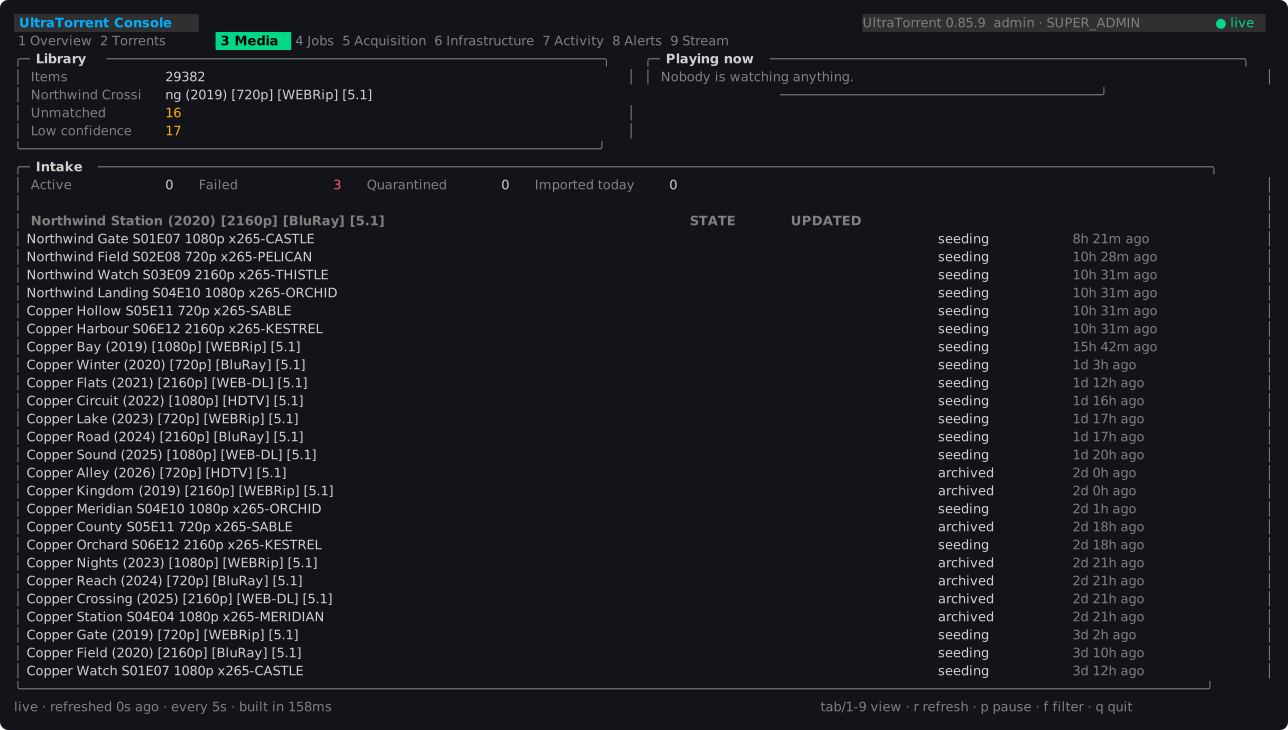
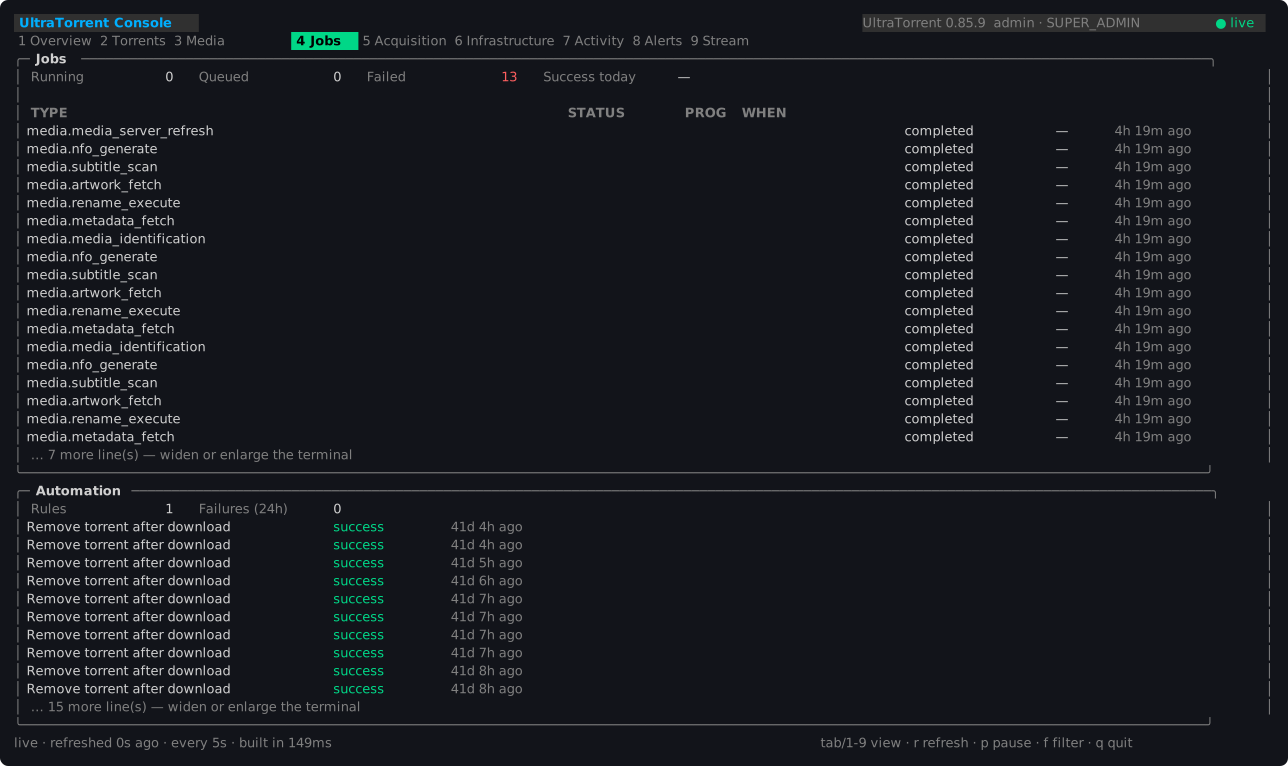
The screenshots on this page are in English in both locales, deliberately: they are captures of a real install, and a second set would be a second set to keep true every time a pane changes. The layout they exist to show is identical either way.
What an account needs
The console.view permission, which grants access to the client and nothing
else. Every panel is still gated by that domain's own view permission, so a console
user sees exactly what the same account sees in the web app — no more. READ_ONLY,
USER and POWER_USER hold it out of the box; ADMINISTRATOR inherits it.
There is deliberately no console.admin. A grant that bypassed domain permissions
would make the console the one client where RBAC does not apply, which is the
opposite of the point.
An account holding console.view and no domain permissions is refused at startup
with a message saying so, rather than opening onto nine empty views. A panel the
account may not read says so in its own frame, dimmed rather than coloured like a
fault — a permission boundary is not an incident, and colouring it like one teaches
an operator to ignore the colour that means something is wrong.
The views
Overview
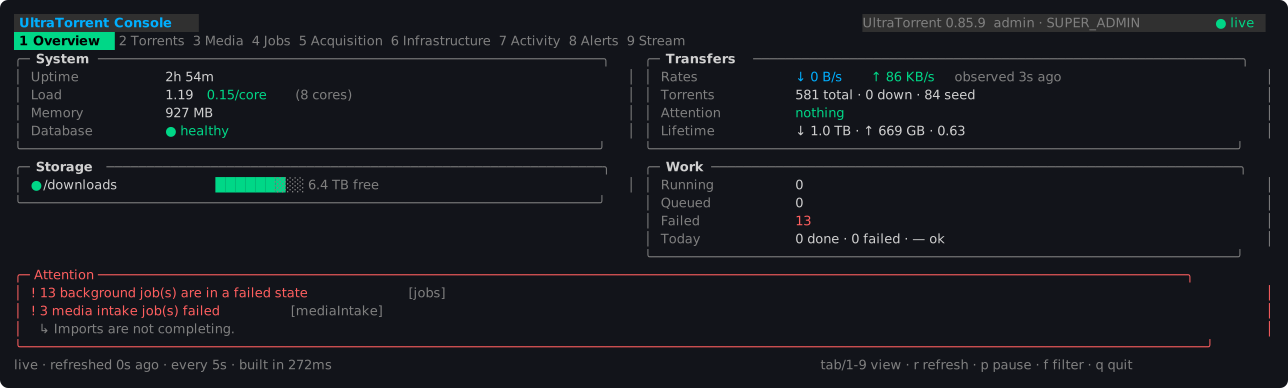
The host on the left, the work on the right, so "is the machine sick or is the workload sick" is answered by looking at one side.
Load is shown per core, because a raw load average means nothing without knowing
how many cores it is spread across — 6.0 is an emergency on two cores and an idle
afternoon on sixty-four.
Torrents
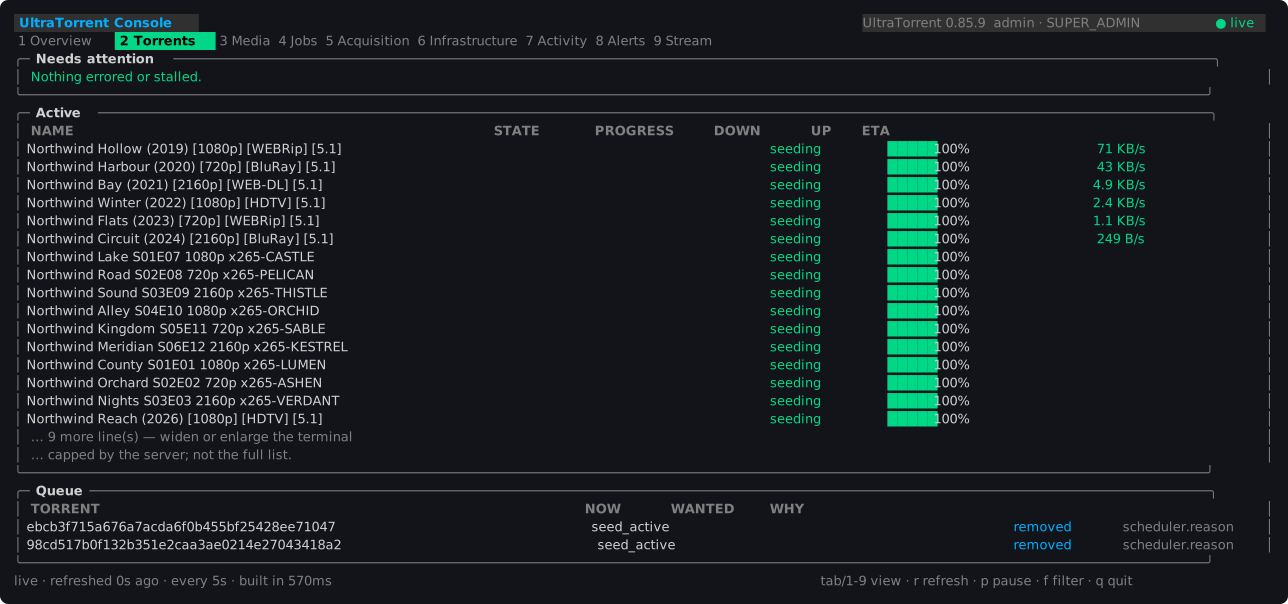
Needs attention comes first and holds anything errored or stalled — a torrent
downloading with no peers and no throughput. Active is capped by the server, and
the console says so rather than letting a list that stops at 25 read as "that is all
of them".
Transfer figures carry an observed age: the server reads them from what its
engine poller last saw rather than asking the engines again on your behalf, so the
data is deliberately up to two seconds old and says so.
Media
Jobs
Acquisition
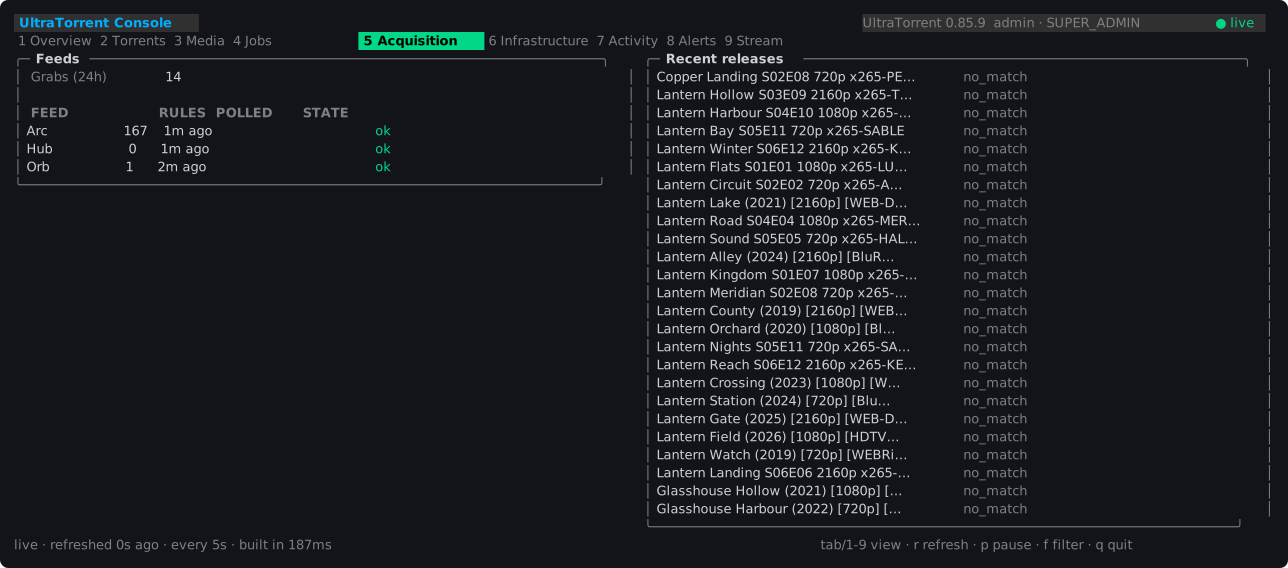
A feed's state is staleness against its own refresh interval, not an error
column. RSS poll failures are logged and never persisted, so an error field could
only ever be empty — and a column that is structurally always empty reads as "no feed
has ever failed", which is worse than not offering it. A feed is overdue after
twice its interval; once would flag every poll that lands a moment late.
Release results use the vocabulary the platform can actually derive: downloaded,
skipped_duplicate, matched, no_match. matched is kept distinct on purpose
— it means a rule wanted a release and it was not taken, which is the state worth an
operator's attention and the one a plain "rejected" would bury.
Infrastructure

Health is carried by a glyph as well as a colour (● healthy, ◐ degraded,
✕ down, ○ never reached). Colour alone excludes anyone with a colour vision
deficiency and disappears entirely through a pipe.
Activity
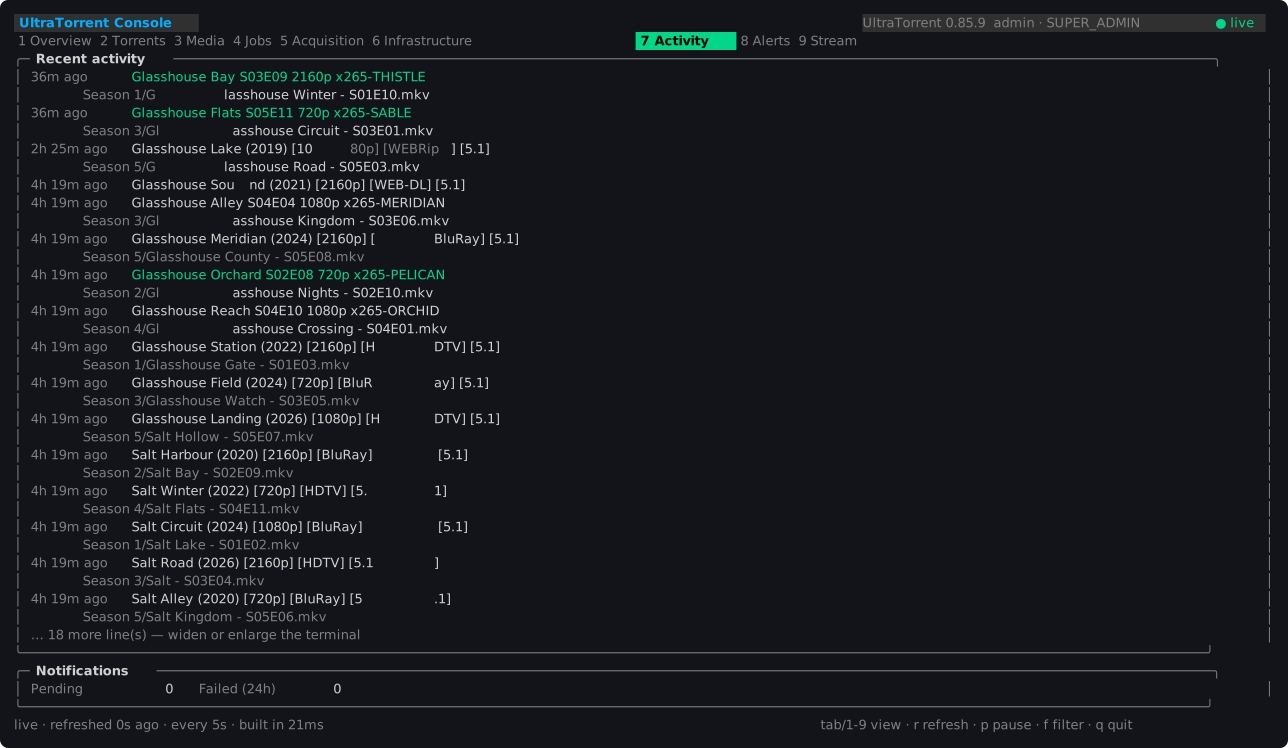
A line marked (N events) is a collapsed burst. The console shows the count and
cannot expand it — the snapshot carries a number, not the constituents — and
pretending otherwise would be a lie about what it holds.
Alerts

They are computed from health, job, intake, storage and provider state each time a snapshot is built. They have no identity that survives a restart, they cannot be acknowledged, and there is no dismiss key — the way to make one go away is to fix what it reports. A dismiss key would promise something the server cannot honour.
The pane is framed in the worst severity it holds, so a critical alert is visible before a word of it has been read.
Stream

A live narrative over a websocket, not polling. It is not history: it holds the last 200 events that arrived while this console was open, it does not backfill, and the view says so every time it renders. The record of what happened is the audit log.
f cycles the filter through whichever categories are actually in the buffer, rather
than a fixed list of every category the platform can emit.
How it treats the server
A console is watched by people and points at a machine that may be having a bad day, so it is deliberately cheap:
- Each view requests only the domains it displays, never all sixteen.
- The refresh interval is clamped up to the floor the server advertises, so a misconfigured console cannot become load.
pstops polling entirely rather than freezing a copy, so a paused console costs the server nothing at all.- A failed refresh leaves the last good reading on screen with the failure and its age in the status bar. A console that quits when the server hiccups is useless exactly when it is needed.
- Nothing is measured locally. No CPU sampling, no disk probing, no direct database, Redis, engine, media-server or filesystem access.
Configuration
~/.config/utconsole/config.json, mode 0600, holding the server URL, display
preferences and a rotating refresh token. No password is ever stored.
Override the location with UTCONSOLE_CONFIG.
{
  "serverUrl": "https://your-install",
  "refreshToken": "…",
  "username": "operator",
  "refreshSeconds": 5,
  "locale": "es-PR"
}
locale is absent until a language is chosen with L or written by hand; absent
means "follow the environment".
The token lives in a file rather than an OS keyring because these run on headless servers where no keyring daemon exists, and a keyring that silently falls back to a file is worse than a file that says so. The console warns once if the file is group- or world-readable but does not refuse to start.
Colour and terminals
The palette is ANSI-256 rather than truecolor, because this runs over SSH into whatever terminal an operator happens to have, and a theme that assumes 24-bit colour renders as mud on a basic one. On a Linux virtual console the same screen renders in the 16 ANSI colours.
TERM must be setWith no TERM at all the rendering library concludes it is not talking to a colour
terminal and renders monochrome. This bites when launching from a context that does
not inherit an environment:
openvt -s -- /usr/local/bin/utconsole              # wrong: no TERM, renders flat
openvt -s -- env TERM=linux /usr/local/bin/utconsole   # right
Compatibility
The console checks the operations contract version at startup:
| Server contract | Result |
|---|---|
| Same major | Compatible |
| Newer minor | Compatible; fields this build does not know are ignored |
| Different major | Refused, naming both versions |
Refusing beats rendering nonsense from a shape the client is guessing at.
Troubleshooting
| Symptom | Cause |
|---|---|
Not signed in, or the stored session expired | No stored token, or it was rotated elsewhere. Run utconsole login again. |
This account may not use the console | The account lacks console.view. |
| Panels say "Your account may not read this" | Expected: the account lacks that domain's view permission. |
| Everything renders monochrome | TERM is unset — see above. |
incompatible operations contract | The server speaks a different contract major; upgrade whichever half is older. |
Stream shows ✕ refused | The identity was rejected, not the network. Check the account still exists and holds its permissions. |
Stream shows ✕ disconnected | The socket dropped. It reconnects on its own with backoff. |
console.view missing after an upgrade | The permission is created at boot by the module-permission sync; check the backend log for Added 1 permission(s): console.view. |
Further reading
docs/UTCONSOLE.md— the same material, with the build and test detail- REST API Reference — the
/operationsendpoints - Permissions Reference —
console.viewand the domain permissions - Troubleshooting — the platform-wide playbook